10 Tech Tips for Educators
1 - Don’t be Too Cool for School.
Learn what platforms and software your district already pays for. You may find a hidden gem that is exactly what you’re looking for.
2 - Look for educator discounts.
Canva, for example, has a premium level that is free for educators. I can’t recommend this enough!
3 - Chat with a librarian.
Your library might have a website. Your librarian might even be able to make you a website!
4 - There are many paths to AI resilience.
Moving to analog is not the only way to make assignments AI resilient. This is a huge topic, but what I’ll say now is just: don’t despair. There are options beyond paper and pencil. If your school uses chromebooks, there’s an option to lock down a google form so that students can’t go to any other tab while they are in the assessment. The biggest thing, I gather, is to think hard about what you are actually assessing and how students might show you that process. In a twisty turn of events, there are even AI tools to help you! There are no easy answers, but don’t be afraid to try out different things.
5 - Use digital tools to enhance the analog experience.
It doesn’t have to be either/or! Printfriendly.com, for example, offers a plugin that will help re-format a webpage for printing, leading to better readability on the literal page. Canva and other digital design tools are great for creating visuals, signs, and interactive materials like zines, games, etc.
6 - Do your future self a favor and think about workflow.
This is one of those “do as I say not as I do” situations. That being said, a classmate recommended raindrop.io to me at the beginning of my program at SSU and it has been a game changer. There are a lot of great bookmark managers out there, so I recommend picking one. The most important thing is consistent use! I am also perpetually meaning to label my files consistently and using folders that actually make sense (work in progress). Think about what might make your life easier; what will make it simple and smooth to revisit all those lesson plans, ideas, or resources?
7 - Learn the hidden features of platforms you’re already using!
For example: google docs does a lot more than it used to! There are now tabs - this is especially great for keeping separate meeting notes all in one place. For large documents I love to include a table of contents so I can quickly use the header links to get where I want to go.
My Favorite Google Docs Tip: If you navigate to File → Page Setup you can choose a “pageless format”. Why? There are the basic reasons - wide margins, continuous scrolling, but the real kicker: Headings become collapsable sections.
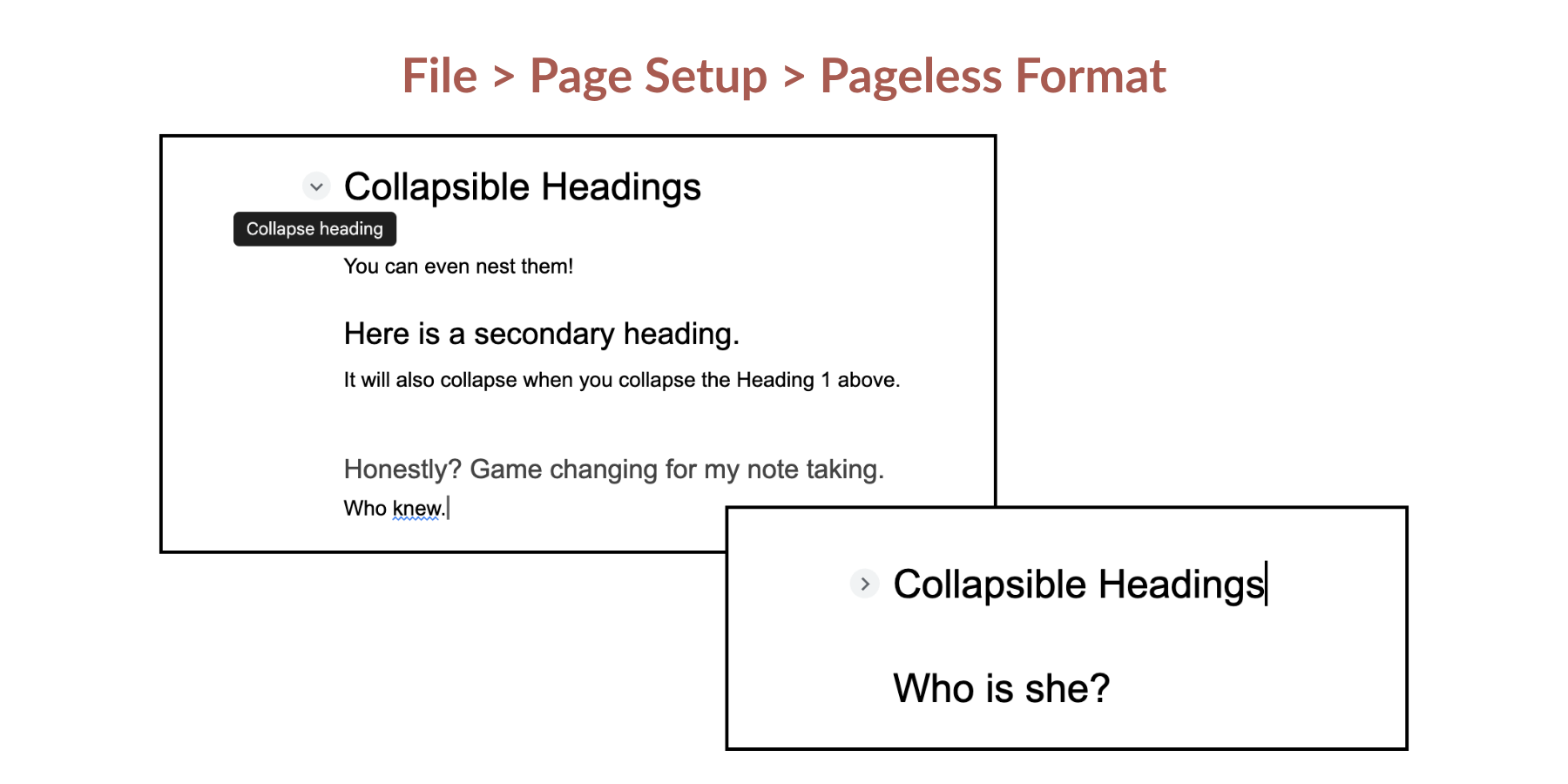
I used my free educators canva account to make this graphic…fun!
8 - Think about privacy (yours and your students’)
As librarians, we have a duty to protect our student’s privacy. One avenue that I hadn’t realized until recently is email - all school email is a matter of public record. It’s worth putting a reminder of this as a footer. This is also something to keep in mind whenever you’re trying out a new AI tool - make sure not to share identifying information about yourself or students, unless the privacy features have been vetted as school appropriate. My district uses the google suite, for example, and the version of Gemini that’s available to us does not save data or use it for training; this gives me much peace of mind.
9 - Even “digital natives” need to learn how to speak.
Teach your students how to use technology; they don’t necessarily already know! The number of times I’ve seen students literally navigate to a search engine and type in “google docs” to reach their google drive is staggering. Connect to a printer? Forget about it. Key strokes are akin to magic. Things that are intuitive to you are not necessarily intuitive to others.
Something I’ve noticed is that often students will ask how to do something (or ask you to do it for them) before giving it a try, so another thing we can do is model the “mess around and find out” model of technological literacy.
10 - Think about user experience - why are you using technology.
It’s easy to get swept up in the bells and whistles. Sometimes, though, less is more! I’ve found it’s fun to go a little overboard experimenting and then pare back based on the actual needs of the project.